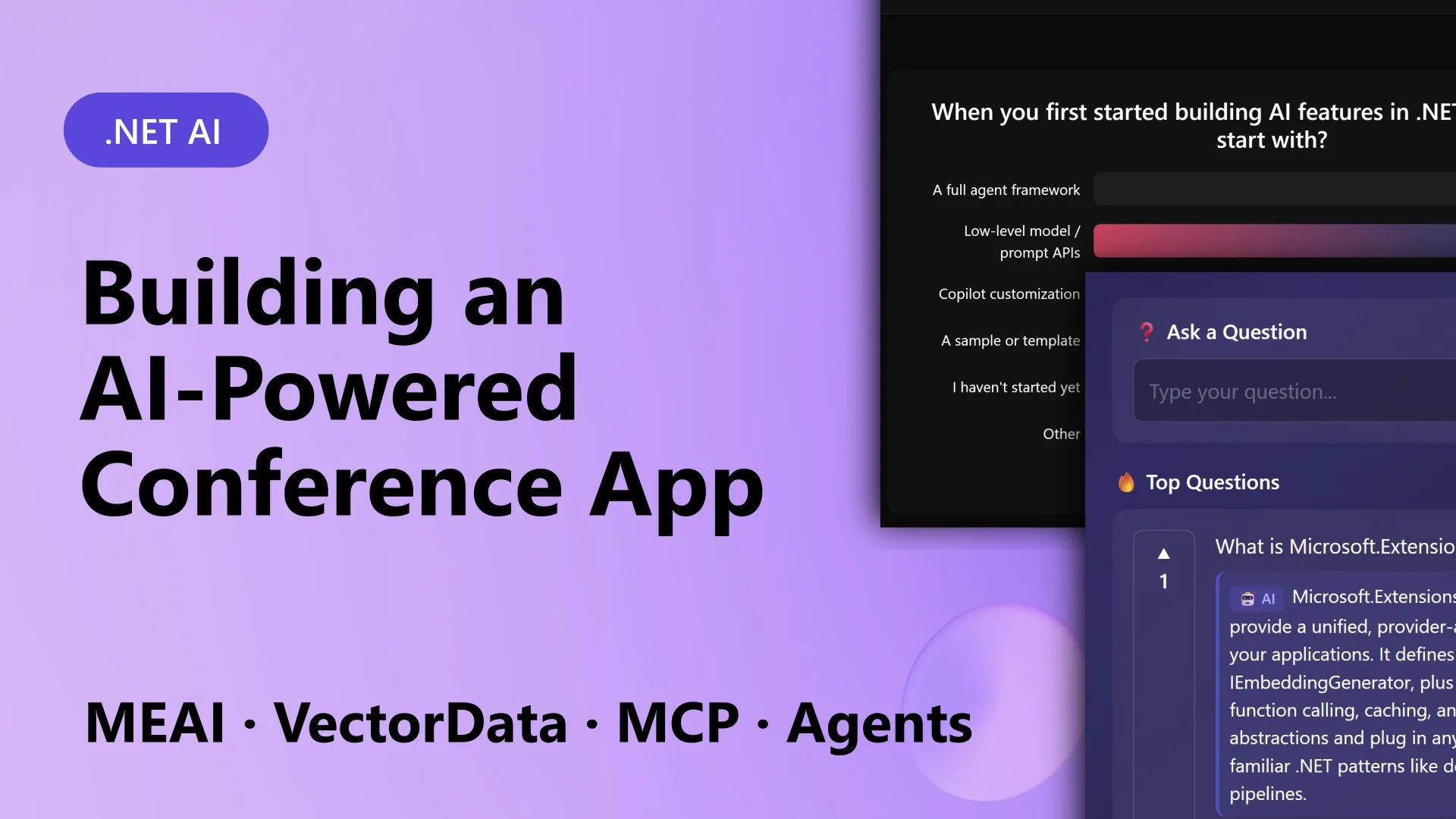
The .NET ecosystem now provides a unified approach to building AI applications, moving away from stitching together disparate models, databases, and frameworks. At a recent MVP Summit, the team demonstrated ConferencePulse—a Blazor Server app that showcases these composable AI building blocks. ConferencePulse lets attendees participate in live polls, ask questions, receive AI-generated insights, and get a session summary—all powered by a cohesive stack of .NET AI libraries. In this article, we’ll break down the ten essential components that made ConferencePulse possible, each representing a critical piece of the modern .NET AI puzzle.
1. Overview of ConferencePulse: The App We Built
ConferencePulse is a full-stack .NET application designed for live conference sessions. Attendees scan a QR code to join, then interact with the presenter through AI-generated polls and a real-time Q&A system. Behind the scenes, the app uses a RAG pipeline to answer questions based on the session’s knowledge base, which is built from the presenter’s GitHub repository, Microsoft Learn docs, and wiki content. When the session ends, multiple AI agents collaborate to produce a comprehensive summary automatically. The app runs on .NET 10, Blazor Server, and .NET Aspire, with five projects spanning web, core logic, ingestion, agents, and MCP services.
2. Microsoft.Extensions.AI: One Interface for All AI Providers
The Microsoft.Extensions.AI library provides IChatClient, a unified abstraction that works seamlessly with OpenAI, Azure OpenAI, Ollama, Foundry Local, and other providers. In ConferencePulse, every AI call—whether for generating polls, answering questions, or producing insights—goes through this single interface. This means you can switch providers without rewriting your business logic. The library also includes tool calling, streaming, and telemetry, making it a foundational piece for any .NET AI application. No more vendor lock-in or fragile provider-specific code.
3. Microsoft.Extensions.DataIngestion: Automate Your Data Pipeline
Data preparation is often the most tedious part of AI workflows. Microsoft.Extensions.DataIngestion provides a set of composable steps for ingesting, cleaning, chunking, and embedding data. In ConferencePulse, the app points at a GitHub repository, downloads all markdown files, processes them through a pipeline, and builds a searchable knowledge base—all automatically. This component supports pluggable sources, transformations, and sinks, making it easy to reuse the same pipeline for different content types.
4. Microsoft.Extensions.VectorData: Simplify Vector Search
Vector search is essential for RAG (Retrieval-Augmented Generation). Microsoft.Extensions.VectorData offers a consistent API for working with vector databases like Qdrant, Azure Cosmos DB, and others. ConferencePulse uses it to store and retrieve embeddings from the session knowledge base. When an audience member asks a question, the app performs a similarity search, retrieves relevant chunks, and feeds them to the chat model. This abstraction decouples your application from the underlying vector store, making it trivial to swap databases as needs evolve.
5. Model Context Protocol (MCP): Connect Tools Securely
MCP provides a standardized way to expose tools and resources to AI agents. In ConferencePulse, it connects the app to external data sources like GitHub wikis and Microsoft Learn documentation. The MCP server hosts tools that the agents can call, while the MCP client makes those tools available within the app. This protocol ensures that AI interactions are secure, auditable, and easy to integrate—no custom APIs needed. It’s like having a universal adapter for all your external services.
6. Microsoft Agent Framework: Build Collaborative Multi-Agent Systems
The Agent Framework allows you to create, orchestrate, and monitor AI agents that work together. For ConferencePulse, three agents handle polls, Q&A, and session summaries. Each agent has its own set of tools and capabilities. When the session ends, the agents run concurrently to analyze polls, questions, and insights, then merge their findings into a cohesive summary. The framework supports tool calling, human-in-the-loop, and streaming responses—all built on top of Microsoft.Extensions.AI.

7. Knowledge Base Construction from GitHub Content
One of the most impressive features of ConferencePulse is its ability to automatically build a knowledge base from a GitHub repository. The ingestion pipeline pulls markdown files, splits them into logical chunks, embeds them using a chosen model, and stores the embeddings in a vector database. Presenters simply point the app at their repo, and the AI assistant becomes an expert on the session material. This automates the most time-consuming part of setting up a RAG system.
8. Live Polls Generated by AI
Unlike static polls, ConferencePulse uses AI to generate live polls based on the session’s current content. The app analyzes talking points, recent questions, and engagement patterns to propose meaningful poll questions. Attendees vote in real time, and results appear immediately on the presenter’s screen. This not only keeps the audience engaged but also provides instant feedback to the speaker. The architecture ensures polls are grounded in the knowledge base, preventing off-topic or inaccurate questions.
9. RAG-Powered Audience Q&A
Audience members can submit questions at any time, and ConferencePulse answers them using a RAG pipeline. The system first embeds the question, searches the vector database for relevant session material, bundles the retrieved context with the question, and sends it to the chat model. The answer is then displayed on the shared screen. This gives attendees immediate, accurate responses—even during fast-paced sessions. The entire flow is orchestrated through Microsoft.Extensions.AI and VectorData.
10. Auto-Generated Insights and Session Summaries
When the presenter ends the session, ConferencePulse automatically triggers a multi-agent workflow. Poll results, audience questions, and engagement metrics are analyzed concurrently. One agent summarizes poll trends, another identifies common questions, and a third merges everything into a final session report. The result is a rich summary that can be shared with attendees or used for later content creation. This demonstrates how the composable AI stack enables sophisticated automation with minimal custom code.
The ten building blocks above are not just a one-time demo—they represent a new way of thinking about AI development in .NET. By using stable, composable abstractions, you can integrate AI features without being locked into a specific provider or database. Whether you’re building a conference app, a customer support chatbot, or an internal knowledge management system, these libraries give you the flexibility to adapt as your needs change. Start with Microsoft.Extensions.AI, add ingestion and vector search, connect tools via MCP, and orchestrate agents with the Agent Framework. The future of .NET AI is modular, open, and ready for your next project.