Overview
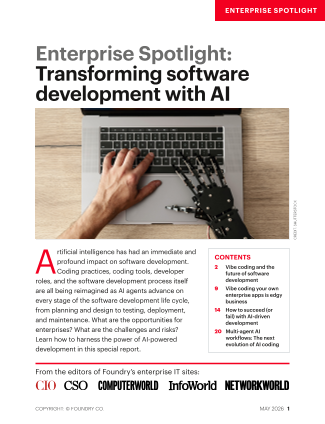
Artificial intelligence is no longer a futuristic concept in software engineering—it's a practical tool that's reshaping how we plan, code, test, deploy, and maintain applications. This guide walks you through integrating AI agents into each stage of the software development lifecycle (SDLC), from initial ideation to ongoing support. You'll learn not just what tools exist, but how to use them effectively, avoid common pitfalls, and achieve genuine productivity gains. By the end, you'll have a clear roadmap for becoming an AI-augmented developer or team.

Prerequisites
Before diving in, ensure you have the following:
- Basic familiarity with the SDLC – You should understand phases like requirements gathering, design, coding, testing, deployment, and maintenance.
- Hands-on programming experience – At least one language (Python, JavaScript, Java, etc.) and ability to write and debug code.
- Access to AI development tools – Examples include GitHub Copilot, Amazon CodeWhisperer, OpenAI Codex, or similar. Many offer free tiers.
- An IDE or editor – Such as VS Code, IntelliJ, or PyCharm, with the AI plugin installed.
- A sandbox environment – A local or cloud project where you can experiment safely without breaking production.
Optional but helpful: familiarity with version control (Git) and CI/CD pipelines, as AI agents often integrate there.
Step-by-Step Instructions
1. Planning with AI – From Vague Ideas to Actionable Stories
AI can transform rough concepts into structured user stories and acceptance criteria. Use natural language prompts in tools like ChatGPT or specialized AI planning assistants.
Example prompt: “I'm building a to-do app with task prioritization, due dates, and push notifications. Generate five user stories with acceptance criteria, including edge cases for overdue tasks.”
Review the output, refine, and import into your project management tool (Jira, Trello, etc.). The key is to treat AI as a brainstorming partner, not a decision-maker.
2. Design – AI-Assisted Architecture and Prototyping
AI can suggest system architectures, data models, and even generate initial diagrams. For example, prompt an AI to outline a microservices diagram for your to-do app.
Example prompt: “Design a RESTful API for a to-do app with user authentication, task CRUD, and notification endpoints. Provide a JSON schema for the Task resource.”
Use the output as a starting point, but validate against your specific constraints (scalability, security, team skills). AI may overlook real-world trade-offs.
3. Coding with an AI Pair Programmer
This is where most developers start. Install an AI coding assistant (e.g., GitHub Copilot) in your IDE. It will suggest code snippets based on context.
Example: In a Python file, write a comment # function to generate a random password of given length and press Enter. Copilot might propose:
import random
import string

def generate_password(length):
    characters = string.ascii_letters + string.digits + string.punctuation
    password = ''.join(random.choice(characters) for i in range(length))
    return password
Always review for correctness, security (e.g., avoid weak randomness), and style. Accept, modify, or reject each suggestion.
Tips for effective prompting: Write clear comments, include types, and break complex logic into small functions. AI performs best with well-structured context.
4. Testing – Automated Test Case Generation
AI can generate unit tests, integration tests, and even find boundary conditions. In your IDE, highlight a function and ask the AI to “write unit tests using pytest”.
Example output:
def test_generate_password_length():
    password = generate_password(10)
    assert len(password) == 10

def test_generate_password_characters():
    password = generate_password(20)
    assert any(c.isdigit() for c in password)
    assert any(c.isalpha() for c in password)
Run the tests and fix any failures. AI tests may miss edge cases or assume incorrect behavior, so add your own manual test cases.
5. Deployment and Monitoring – AI in the CI/CD Pipeline
AI can automate rollback decisions, detect anomalies in logs, and even suggest deployment optimizations. Integrate AI monitoring agents (e.g., Datadog, New Relic with AI capabilities) into your pipeline.
Example: Set up a GitHub Action that triggers an AI model to review test results and decide whether to auto-rollback or alert the team. Use a simple script that calls an AI API to analyze the output.
Because these are production-critical, always start with a human-in-the-loop approval gate.
6. Maintenance – AI-Driven Code Review and Refactoring
Use AI tools for static analysis, vulnerability scanning, and refactoring suggestions. Tools like SonarQube now incorporate AI to explain issues and propose fixes.
Example workflow: After a pull request is created, an AI bot reviews the diff and comments on potential bugs, style violations, or performance improvements. Review each comment before merging.
AI also helps with legacy code: prompt it to “translate this VB6 code to C#” or “refactor this function to be async”. Test thoroughly afterward.
Common Mistakes
- Blindly trusting AI output. AI can hallucinate, use insecure libraries, or miss context. Always verify code, especially security-sensitive parts.
- Not specializing prompts. Vague prompts yield generic results. Be explicit about language, framework, and constraints.
- Ignoring licensing. AI-generated code may have ambiguous licensing. Check the tool’s terms and your company’s policy.
- Over-reliance on AI for design. AI can't replace domain expertise. Use it as a second opinion, not the architect.
- Skipping tests. AI-generated tests aren't a substitute for human-designed test suites. Combine both for robust coverage.
- Neglecting to update models. AI tools improve rapidly. Keep plugins updated to benefit from newer, more accurate models.
Summary
Integrating AI agents into your software development lifecycle can dramatically accelerate planning, coding, testing, deployment, and maintenance. By following the steps outlined—from using AI for user stories to automated test generation and code review—you can boost productivity without sacrificing quality. Remember to treat AI as a powerful assistant, not an autonomous replacement. Always review output, maintain human oversight, and iterate on your prompts. With practice, you'll develop a seamless AI-augmented workflow that scales across projects and teams.