Introduction
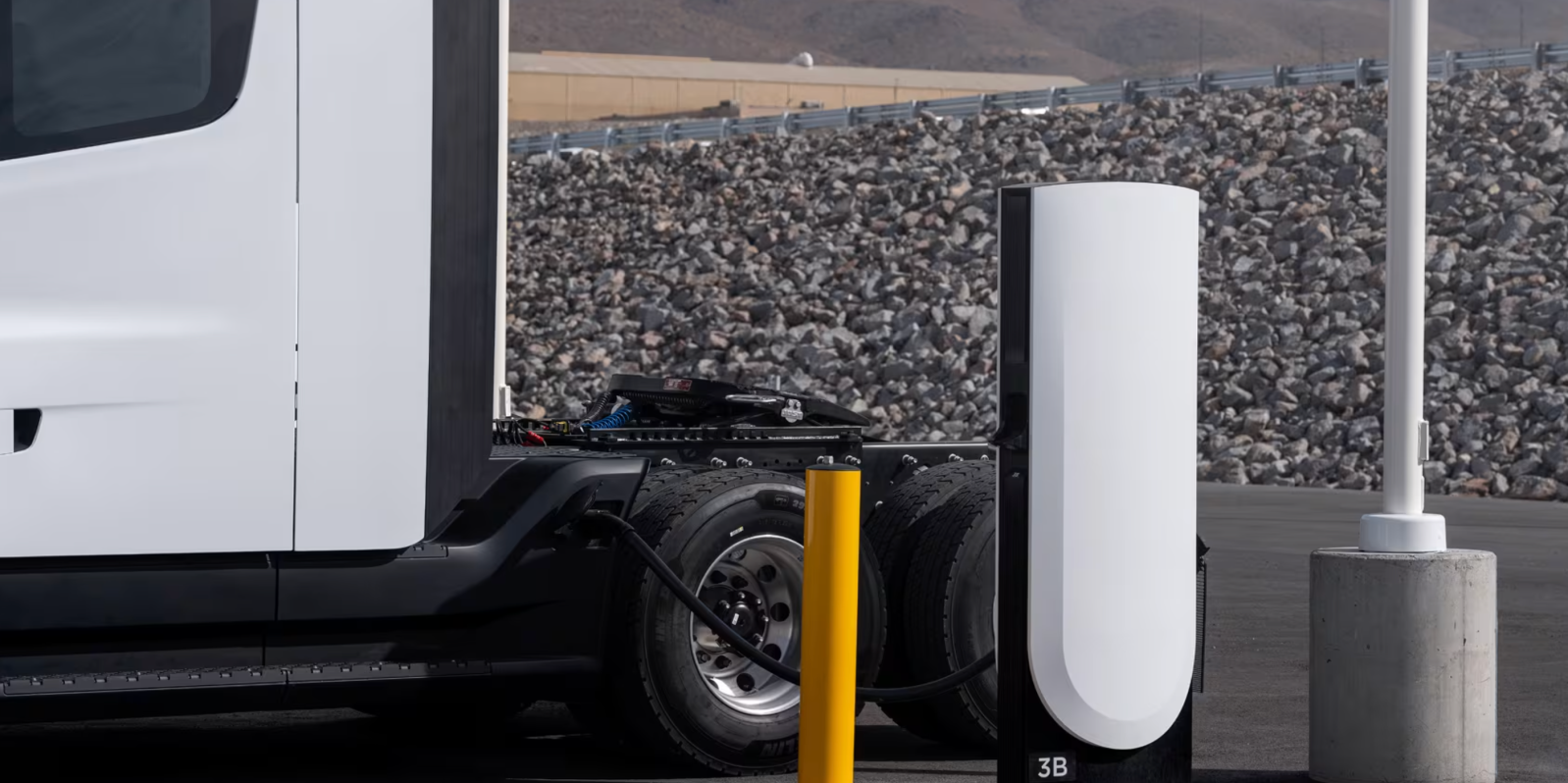
Tesla has launched the “Semi Charging for Business” program, giving fleet operators and businesses the ability to purchase and install their own charging infrastructure for the Tesla Semi. This program offers two main hardware options: the powerful Megacharger and the new, more affordable Basecharger (a 125 kW unit designed for overnight depot use). Whether you operate a small delivery fleet or a long-haul trucking company, this guide walks you through the entire process — from assessing your needs to installing and managing your charging system. By the end, you’ll know exactly how to choose, order, and set up the right solution for your business.
What You Need
Before you start, make sure you have the following prerequisites in place:
- One or more Tesla Semis (or firm plans to purchase them)
- A suitable site (depot, yard, or other parking area with enough space for charging equipment and trucks)
- Access to high‑power electrical service (for Megacharger, likely 480V three‑phase; Basecharger may require similar but at lower capacity)
- Local permits and approvals (consult your municipality and utility company)
- Budget for hardware, installation, and ongoing fees
- Fleet management or operations team to oversee implementation
Step‑by‑Step Guide
Step 1: Assess Your Fleet Needs
Start by analyzing your daily routes, charging windows, and the number of trucks you’ll operate. Ask yourself:
- How many hours per day can each truck charge (e.g., overnight, during loading/unloading)?
- What is the average daily mileage? (Higher mileage requires faster charging or larger battery capacity.)
- How many trucks will need to charge simultaneously?
This assessment will determine whether the high‑power Megacharger (ideal for en‑route fast charging) or the lower‑power Basecharger (perfect for overnight depot charging) is the right fit. For fleets that operate mostly daytime and charge overnight, the Basecharger’s 125 kW output is often sufficient.
Step 2: Choose Between Megacharger and Basecharger
Tesla now offers two distinct products under the “Semi Charging for Business” program:
- Megacharger – Ultra‑fast DC charging (likely 1 MW+) designed for on‑route or high‑usage locations. The online configurator shows a starting price of $188,000 for two Megacharger posts, excluding taxes and installation.
- Basecharger – A new, lower‑power 125 kW charger specifically built for depot and overnight use. Pricing is not yet finalized, but it is expected to be significantly less expensive than the Megacharger.
Consider your fleet’s charging patterns: if you need quick turnaround during the day, opt for Megacharger. If you can charge overnight, Basecharger offers a cost‑effective solution.
Step 3: Understand the Cost Structure
Beyond the hardware price, Tesla charges an all‑inclusive fee of $0.08 per kWh for “revenue‑generating sites.” This fee covers electricity, maintenance, and software services. For private depots that are not open to the public, the fee may not apply, but confirm with Tesla. Also budget for:
- Site preparation (trenching, concrete pads, electrical upgrades)
- Permitting and inspection fees
- Installation labor (likely requires a licensed electrician)
- Grid connection upgrades (if needed)
Step 4: Configure and Order Through Tesla’s Configurator
Tesla provides an online configurator for the Semi Charging program. Visit the Semi Charging page on Tesla’s website, where you can:
- Select the number of Megacharger posts (minimum two for $188k) or Basecharger units.
- Customize options (e.g., cable length, pedestal color).
- Obtain a preliminary quote (excluding taxes/installation).
- Submit your order and provide site details for a feasibility review.
You’ll also need to create or log into a Tesla business account. Expect a follow‑up from Tesla’s team to discuss your specific requirements.

Step 5: Prepare Your Site for Installation
Once your order is placed, prepare the physical space. Key steps:
- Survey the location – Ensure easy truck access and enough turning radius.
- Obtain necessary permits – Check with local building and electrical authorities.
- Arrange electrical infrastructure – For Megacharger, you’ll likely need a new transformer or upgrade. For Basecharger, a dedicated 480V circuit may suffice.
- Complete civil works – Pour concrete pads, lay conduit, and set up cable management.
Tesla may offer site inspection or recommend approved contractors. Use their guidance to ensure compatibility and warranty validity.
Step 6: Installation and Activation
After site preparation, the physical installation can begin:
- Mount the charging posts (Megacharger units are substantial; Basecharger units are smaller).
- Run power cables and connect to the electrical panel.
- Install any required networking (Wi‑Fi or cellular for monitoring).
- Commission the system with Tesla’s software team to activate the charger and link it to your fleet account.
Testing is crucial: verify that each truck can connect and charge at the expected rate. Tesla should provide remote support during this phase.
Step 7: Monitor and Manage Charging
Once live, manage your charging infrastructure through Tesla’s fleet management portal. You can:
- View real‑time charging status and energy usage.
- Schedule charging sessions to optimize electricity rates.
- Set user access (drivers, fleet managers).
- Receive alerts for maintenance or errors.
For revenue‑generating sites (e.g., public charging for other fleets), Tesla’s all‑inclusive $0.08 per kWh fee covers billing and support, simplifying your operations.
Tips for a Smooth Implementation
- Start early with permits – High‑power installations often require utility coordination that can take months.
- Consider scalability – If you plan to expand your fleet, install extra conduit or transformer capacity now to save later.
- Talk to Tesla directly – Their Semi Charging team can provide site‑specific advice and early pricing for Basecharger once available.
- Compare total cost of ownership – Include electricity rates, maintenance (covered in the fee for Megacharger sites), and potential downtime.
- Train your drivers – Ensure they know how to plug/unplug safely and how to use the Tesla Semi’s charging interface.
By following this guide, your business can take full advantage of Tesla’s new charging options and keep your Semi fleet powered efficiently.