Breaking News: Microsoft Rolls Out All-in-One Python Environments Extension
Microsoft today announced the general availability of the Python Environments extension for Visual Studio Code, ending a year-long preview period. The extension consolidates environment management for tools such as venv, conda, pyenv, poetry, and pipenv into a single, streamlined interface.
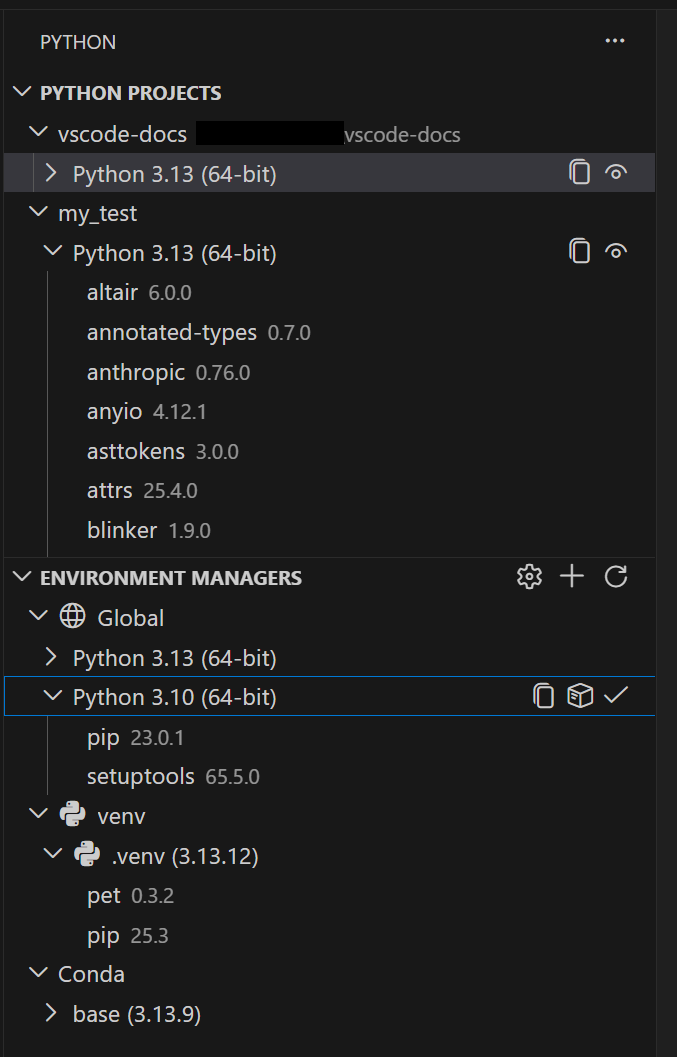
Users will see the extension automatically activated in the coming weeks, or they can opt in immediately by setting python.useEnvsExtension to true. No additional setup is required—environments are discovered automatically when opening a Python file.
“This extension eliminates the fragmentation that has long frustrated Python developers,” said Sarah Chen, Product Manager for Python at Microsoft. “We’ve refined it over a year based on real-world feedback, and now it’s ready for everyone.”
Background
Python developers have historically juggled multiple environment managers—venv, conda, pyenv, poetry, pipenv—each with its own workflow and CLI. The Python Environments extension bridges this gap by providing a unified UI for creating, deleting, and switching environments regardless of the underlying tool.
Behind the scenes, the extension uses PET (Python Environment Tool), a Rust-based scanner that quickly discovers environments by checking PATH, known install locations, and custom search paths. PET has already powered environment discovery in the core Python extension; this release adds a dedicated interface built around it.
For environments stored in non-standard locations, developers can configure workspace-level search paths using glob patterns or set global paths for shared directories outside the workspace.
What This Means
Faster and More Flexible Environment Creation
If uv is installed, the extension automatically uses it for creating venv environments and installing packages—significantly faster than standard tools, especially in large projects. This behavior is enabled by default via the python-envs.alwaysUseUv setting.

Quick Create and Custom Create Options
Developers can create a new environment with a single click using Quick Create (the + button in the Environment Managers view). It picks the default manager, latest Python version, and installs dependencies from requirements.txt or pyproject.toml. For more control, Custom Create (via Python: Create Environment in the Command Palette) lets users choose the manager, Python version, environment name, and specific dependency files.
Python Projects: Environments That Match Your Code Structure
A new Python Projects feature maps environments to specific folders or files—solving common pain points in monorepos where different parts of the codebase require different dependencies or Python versions. This integration ensures the right environment is always active for the code you’re editing.
“The ability to associate environments with individual projects in a monorepo is a game-changer,” said Alex Rivera, a Python developer and early preview participant. “No more manual switching or guessing which environment is active.”
Microsoft plans to continue improving the extension based on community feedback, with additional features—such as environment health checks and native integration with remote development scenarios—already on the roadmap.